Student Lifecycle Events
Overview
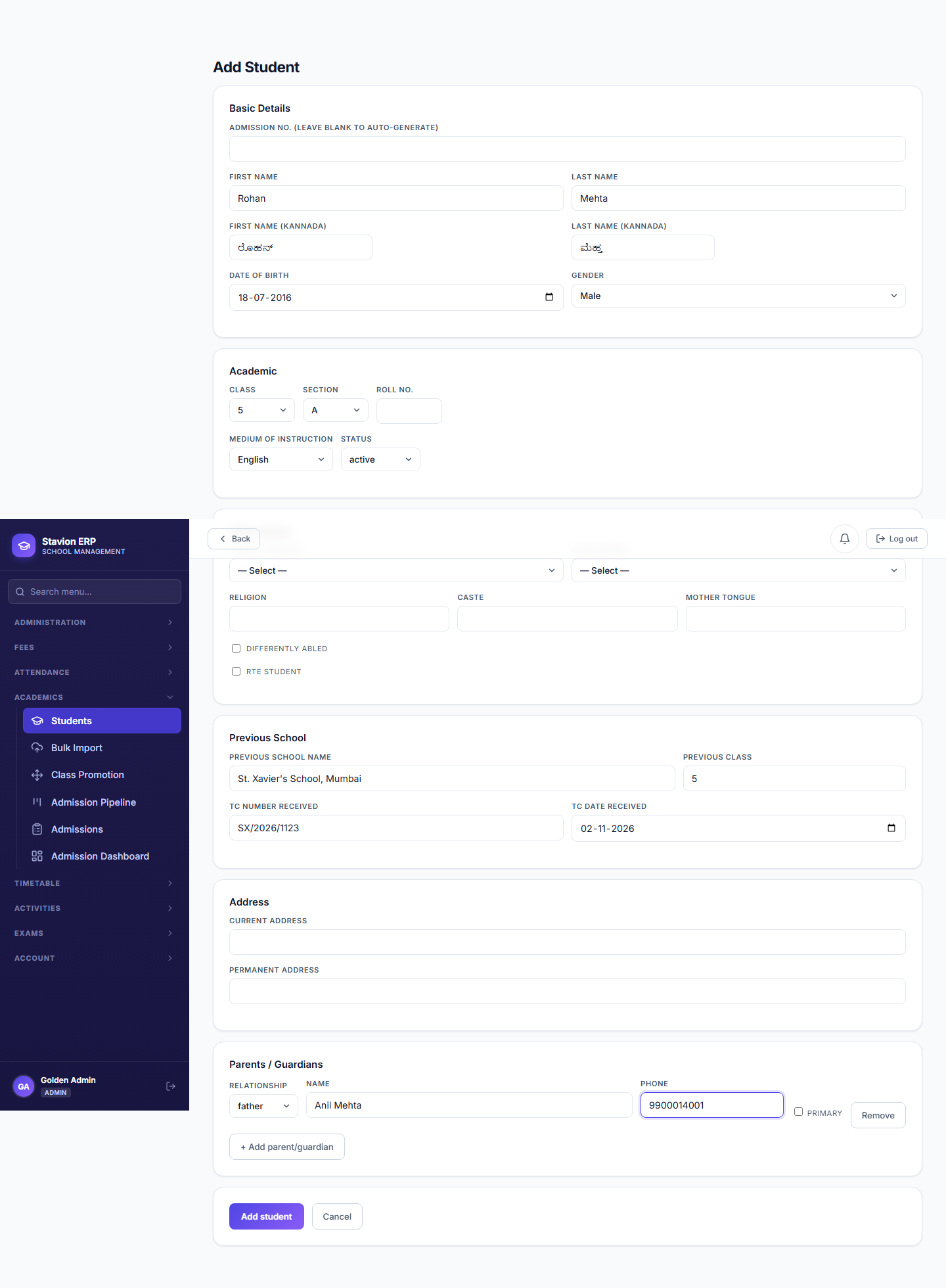
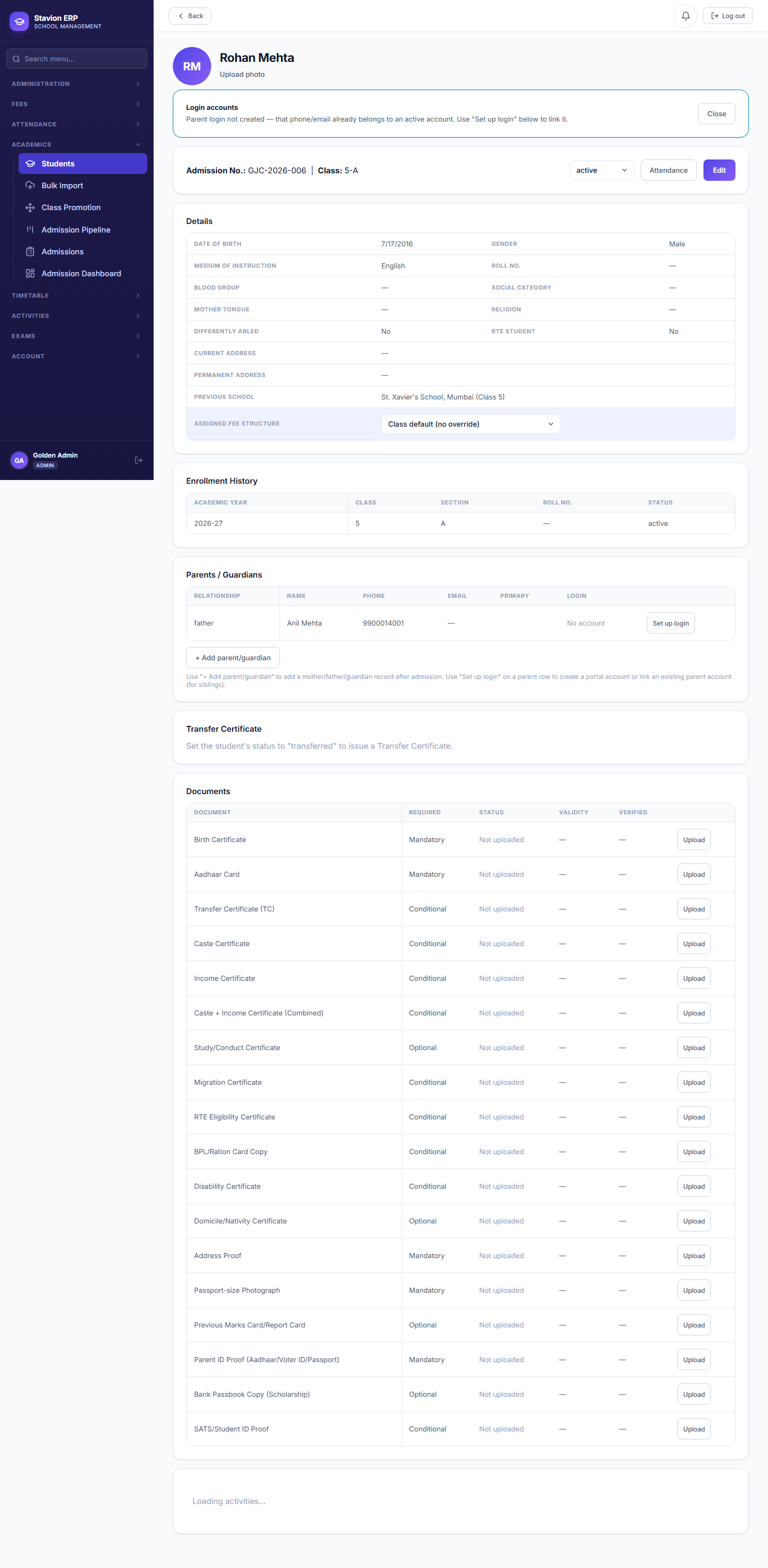
Real schools deal with students joining and leaving outside the normal admission cycle. This chapter covers a mid-year admission and a mid-year departure with a Transfer Certificate. End-of-year Class Promotion — the other major lifecycle event — is covered separately in Chapter 8, since it naturally happens at the end of the academic year, after Timetable and Attendance are already in use.
5.1 Mid-year admission
5.2 Mid-year leave & Transfer Certificate
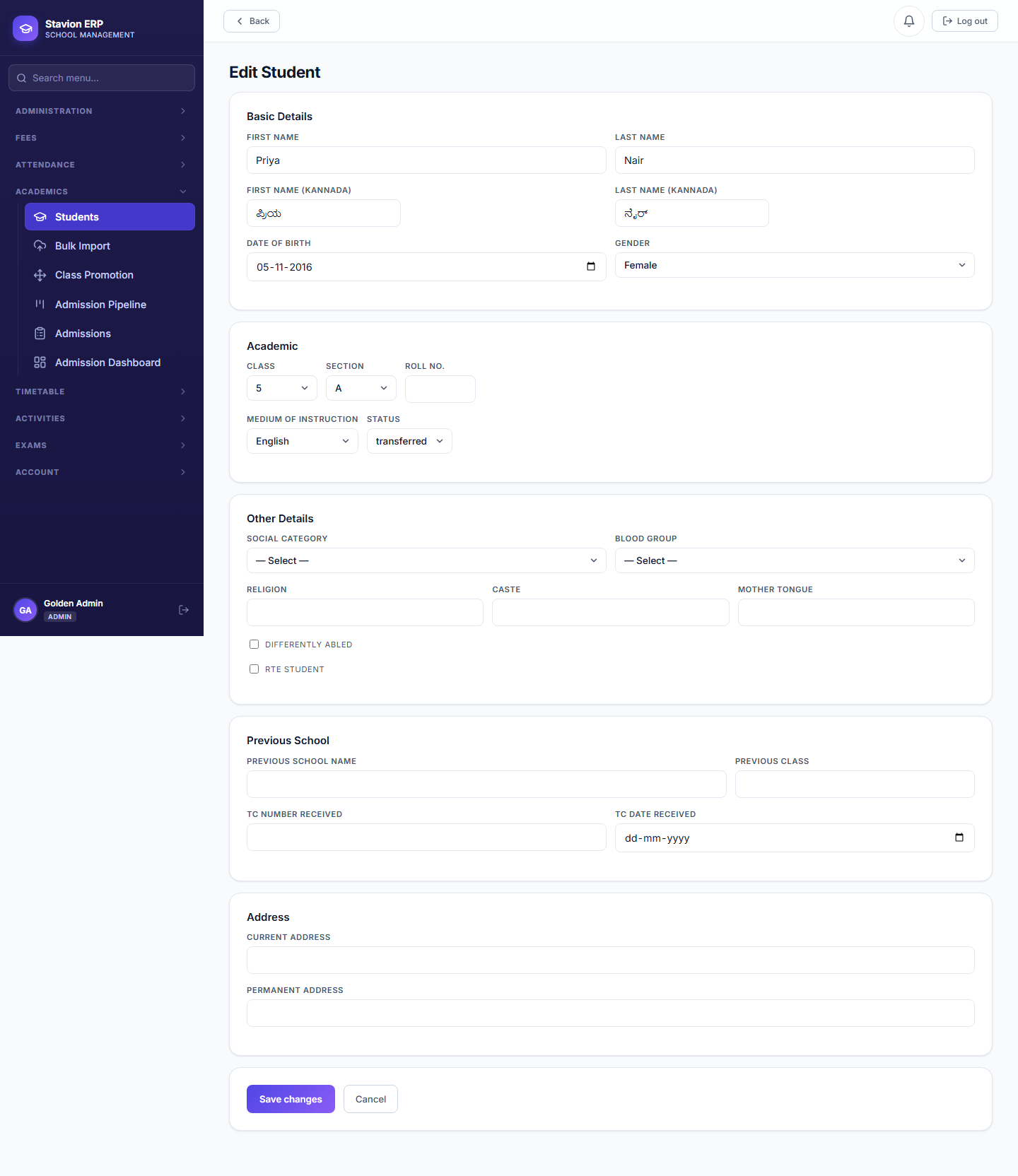
Status changed
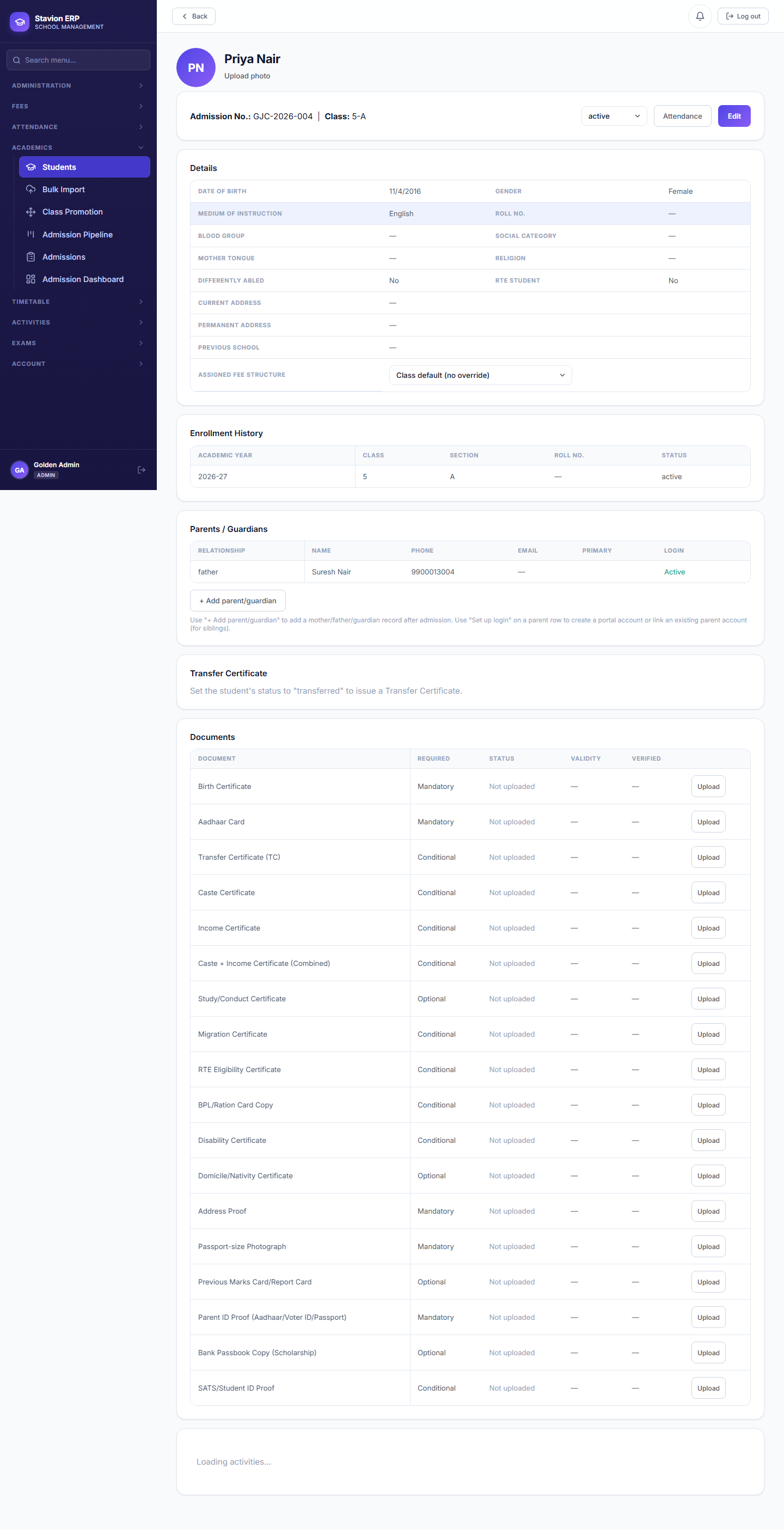
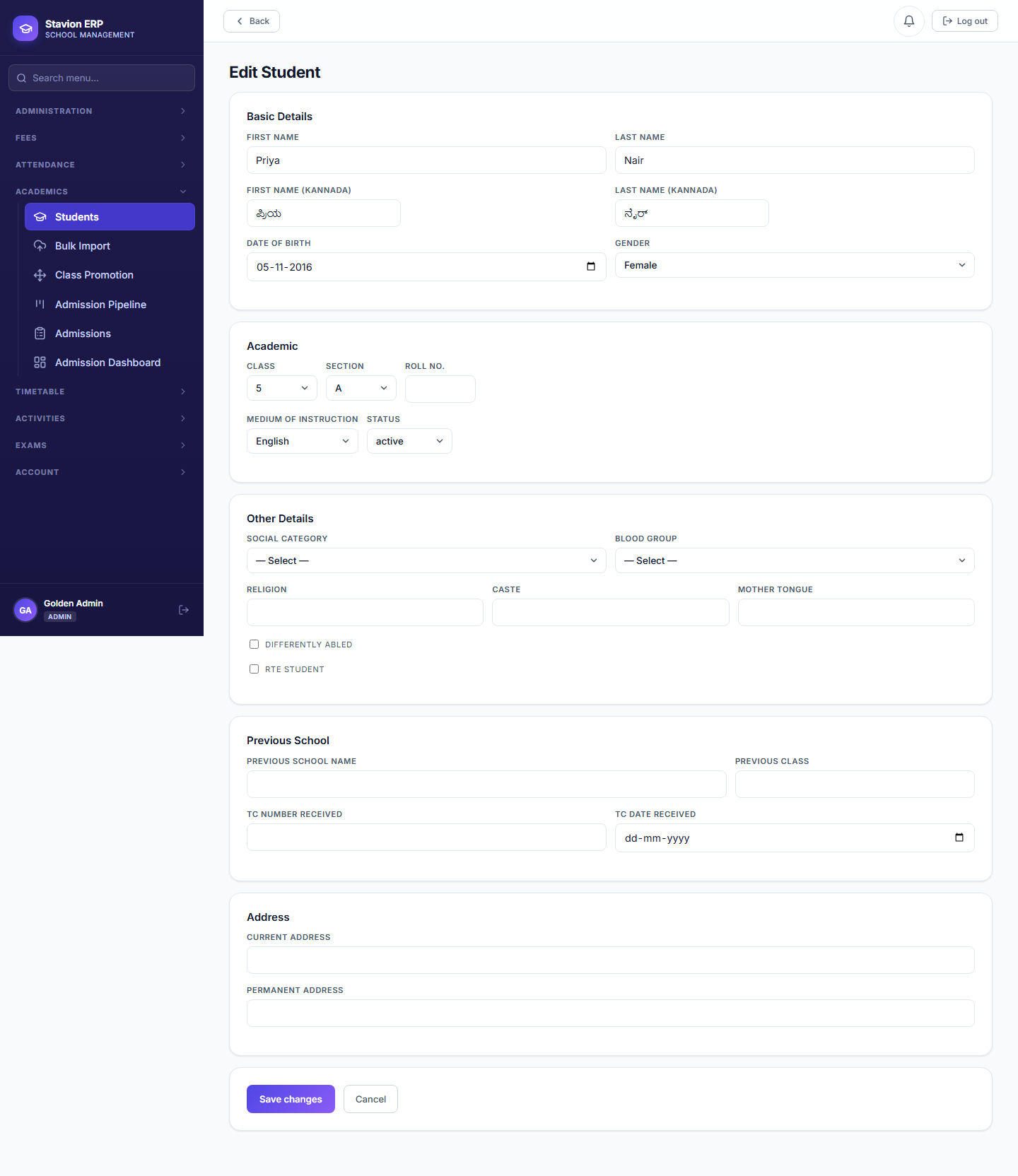
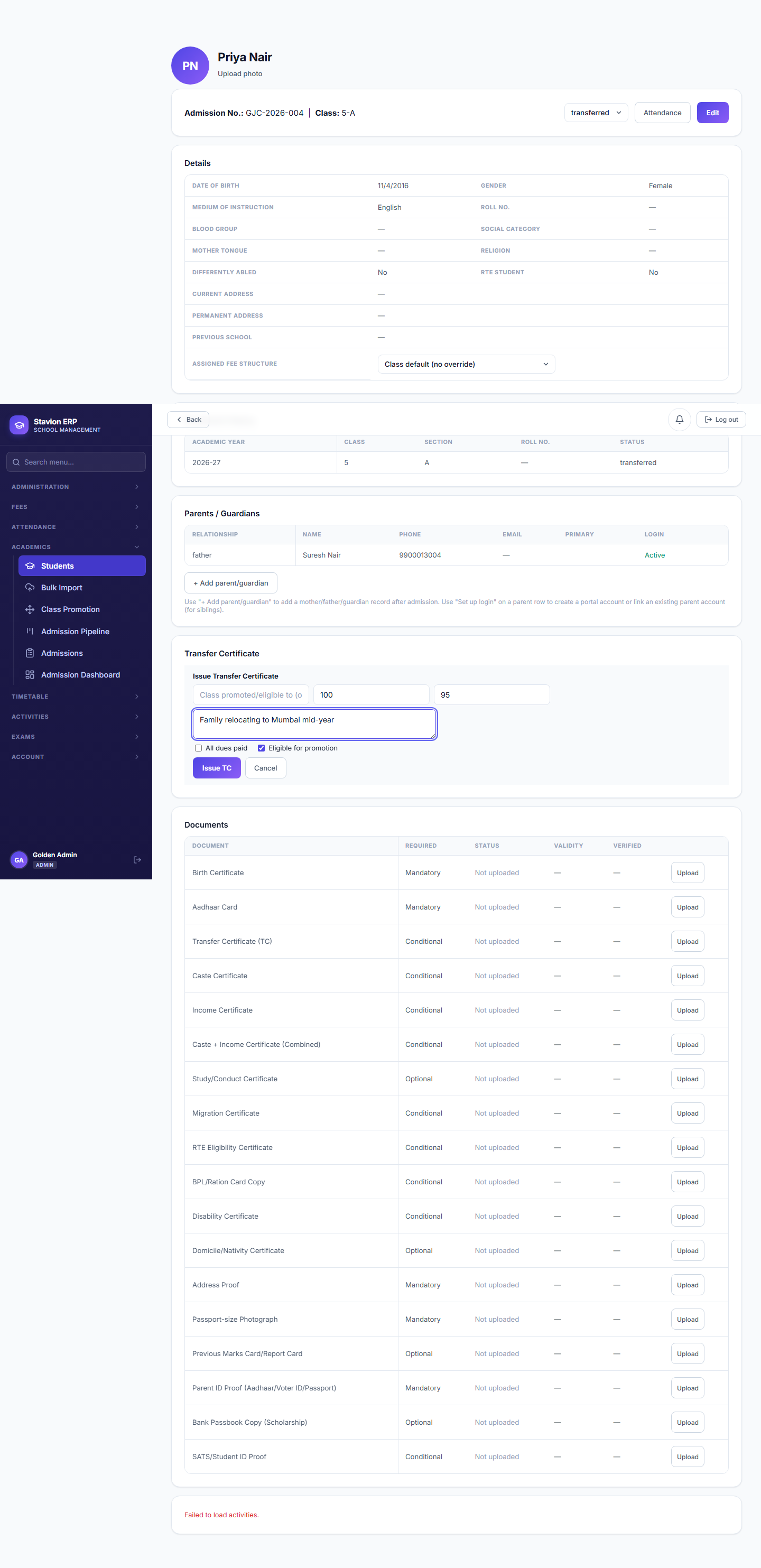
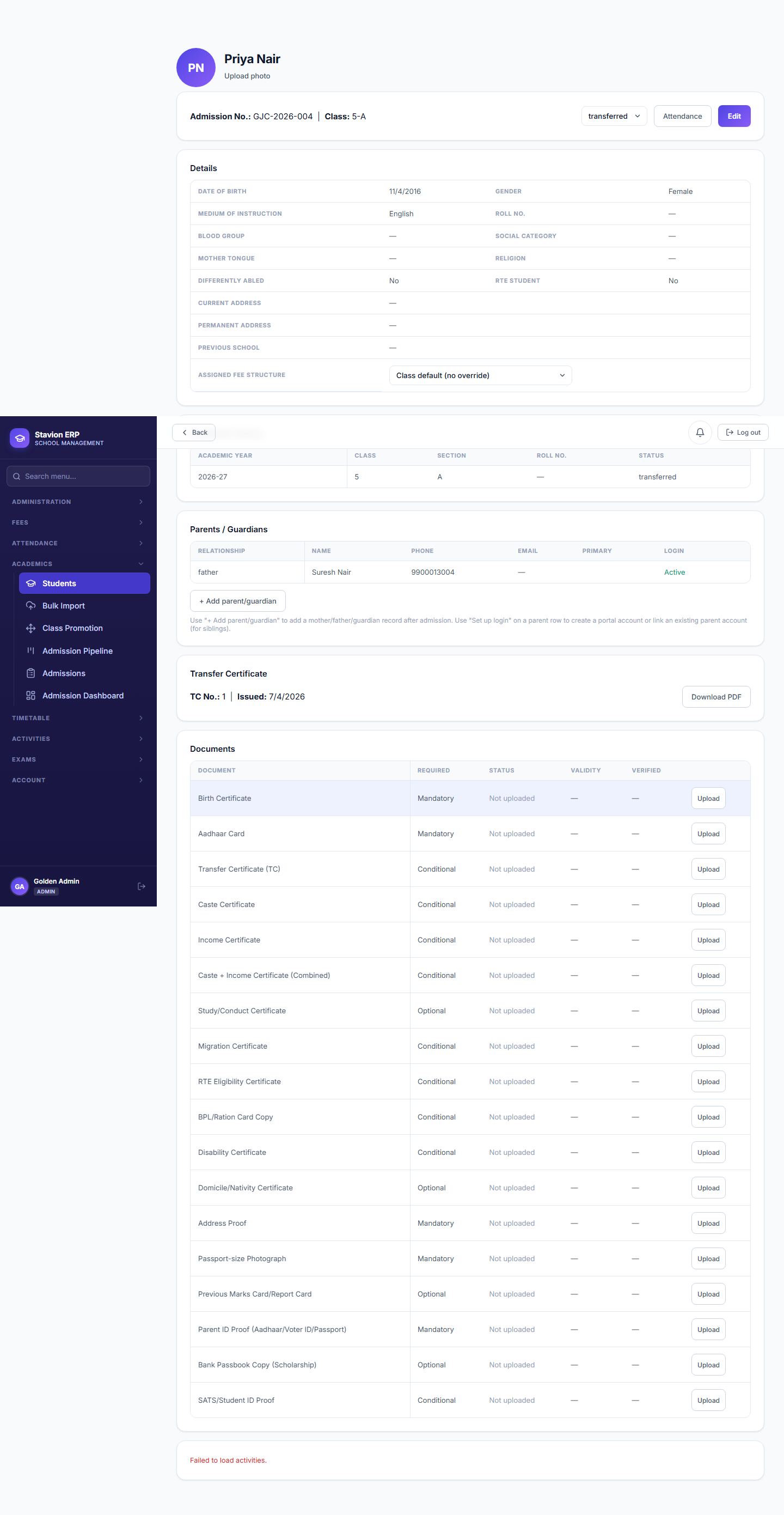
A student's status is set to Transferred on their profile.
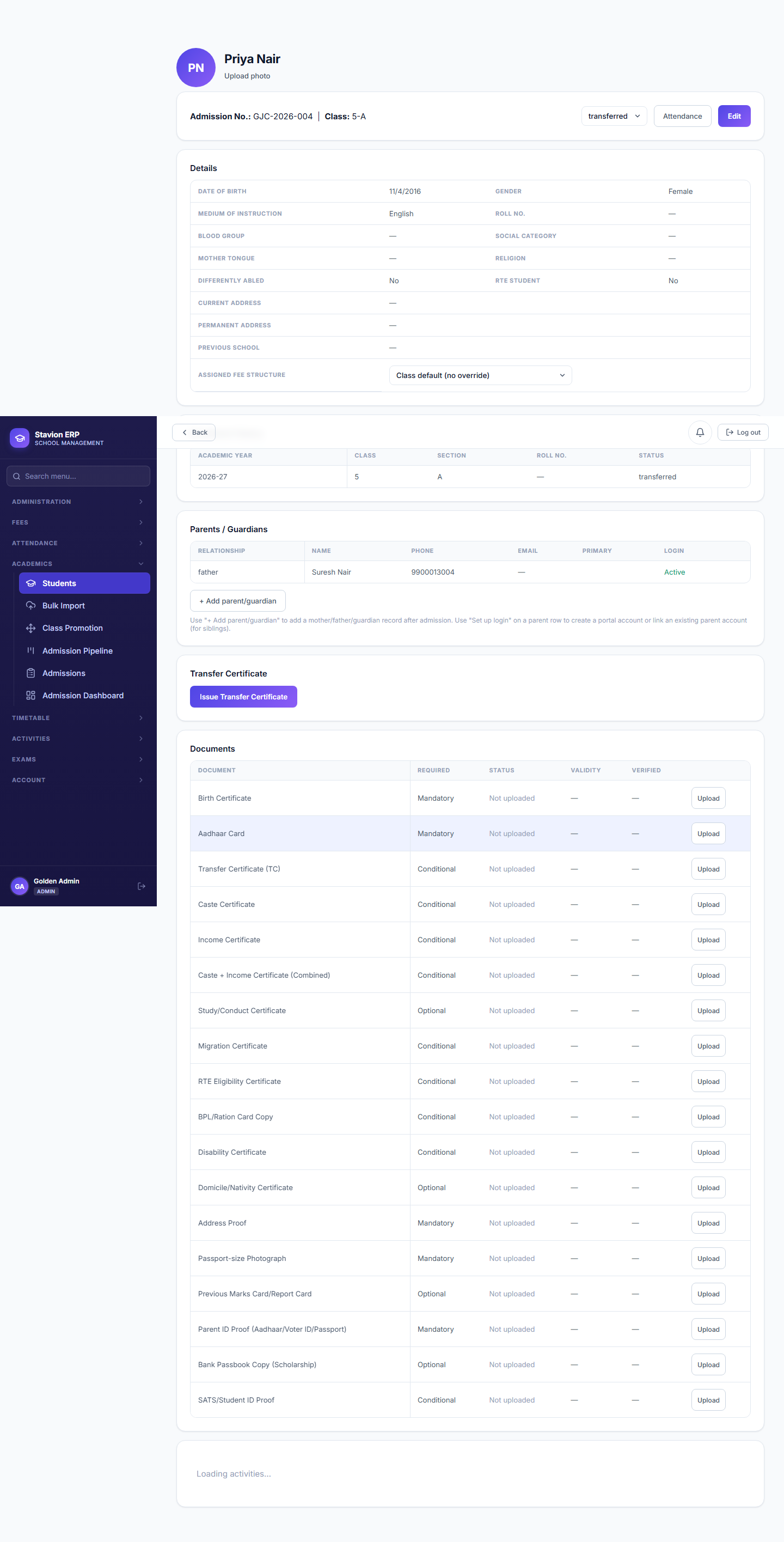
TC action unlocked
The Issue Transfer Certificate action appears — it doesn't exist for an Active student.
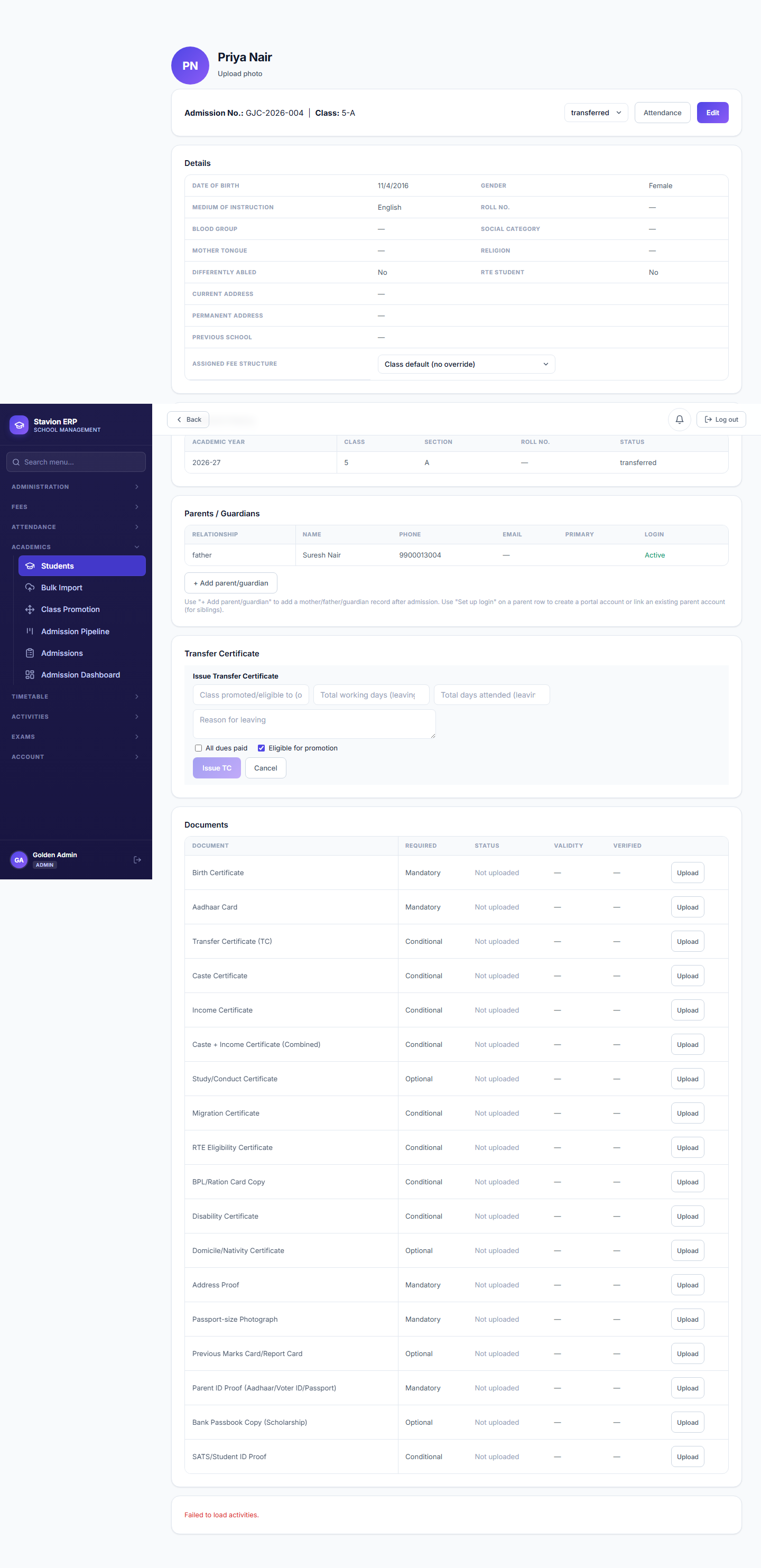
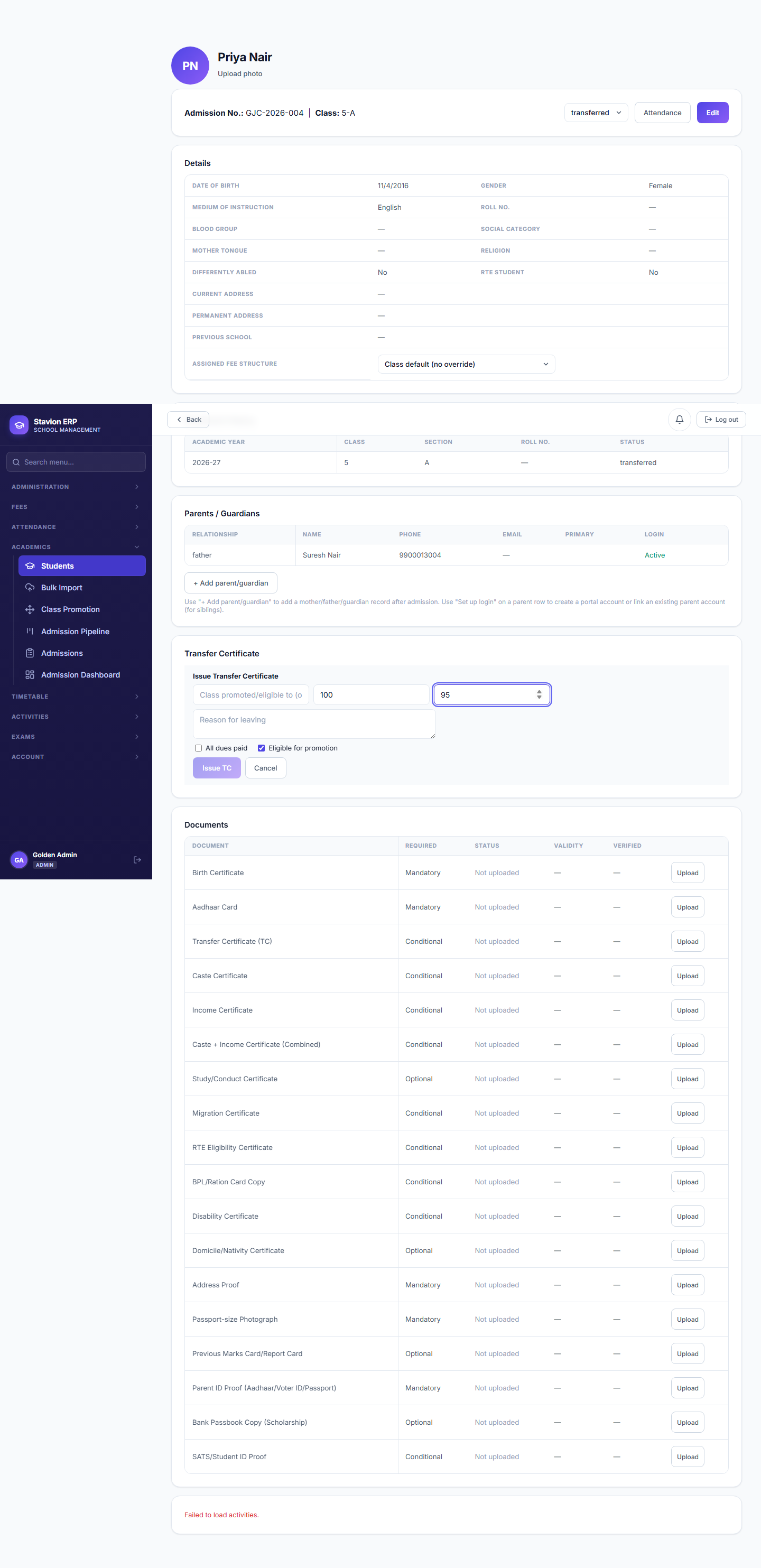
Reason required
The form won't submit without a reason for leaving.
Excluded going forward
The student stops appearing in Attendance rosters and new fee generation.
The mid-year departure flow — demonstrated below on Priya Nair.
Validation rules & common errors
| Trigger | Error shown | Resolution |
|---|---|---|
| Issuing a TC with no reason given | Submit button stays disabled | Enter a reason for leaving before the form can be submitted. |
Once a student’s status is set to Transferred, they no longer appear in Attendance rosters or new fee generation for that class — see Chapter 7, where Priya is correctly excluded from the Class 5A attendance roster.