Class Promotion
Overview
At the end of the academic year, Class Promotion bulk-advances every active student to the next class (e.g. Class 5A → Class 6A) and opens the next academic year. It runs once, at year end — after Fees, Timetable, and Attendance have all been in normal use for the year, which is why it is documented last.
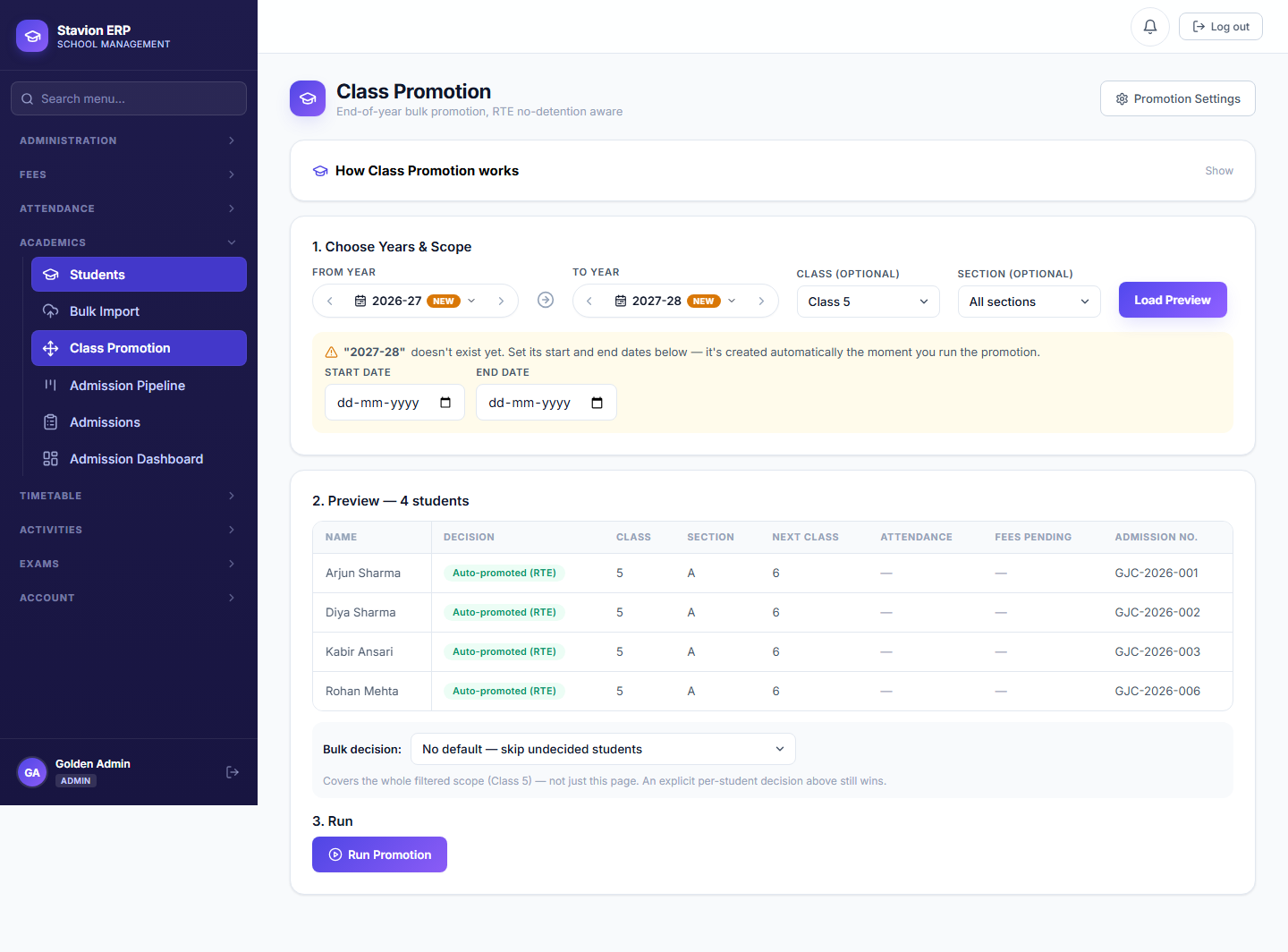
Preview
See exactly which students will move, and to which class — nothing is committed yet.
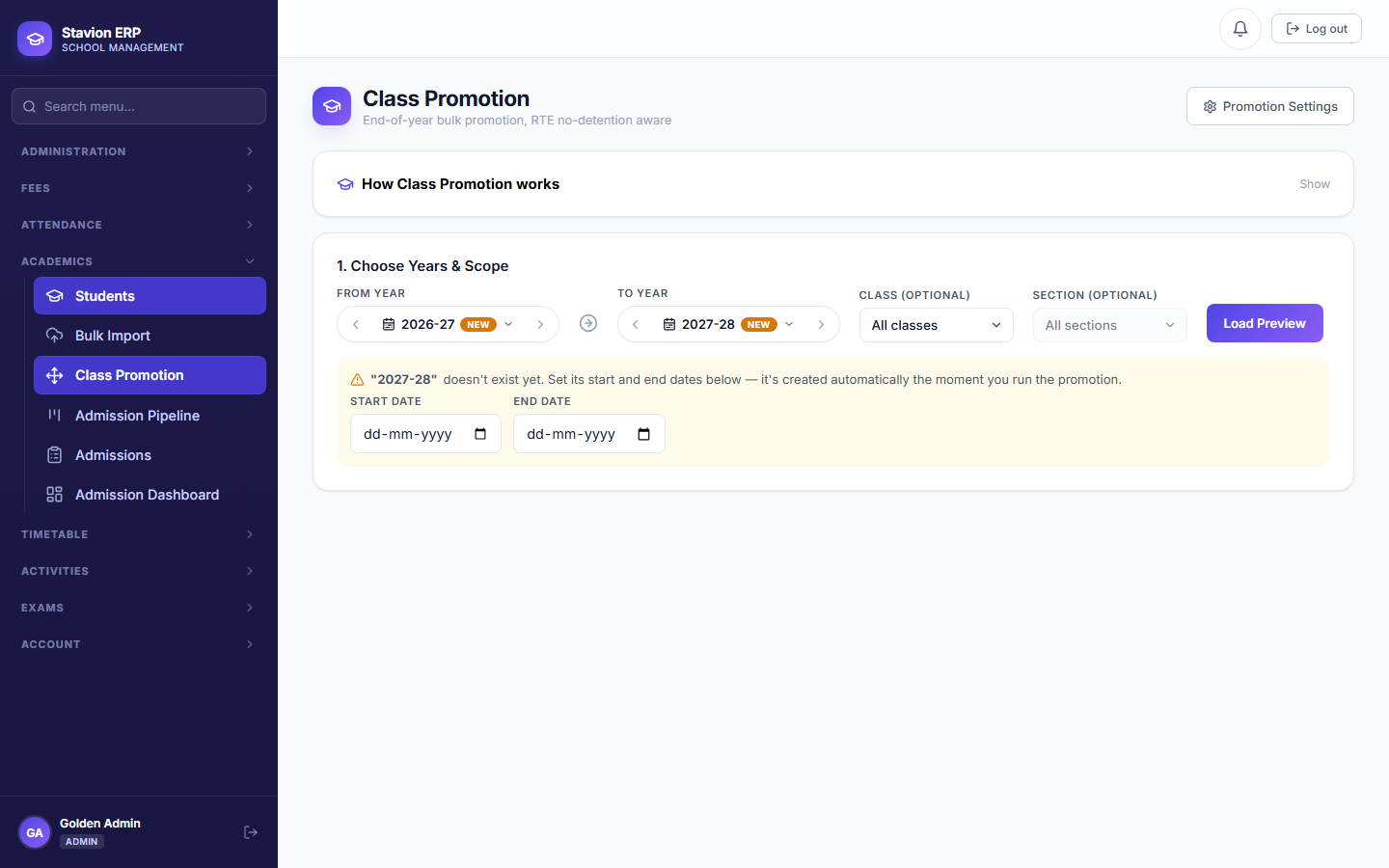
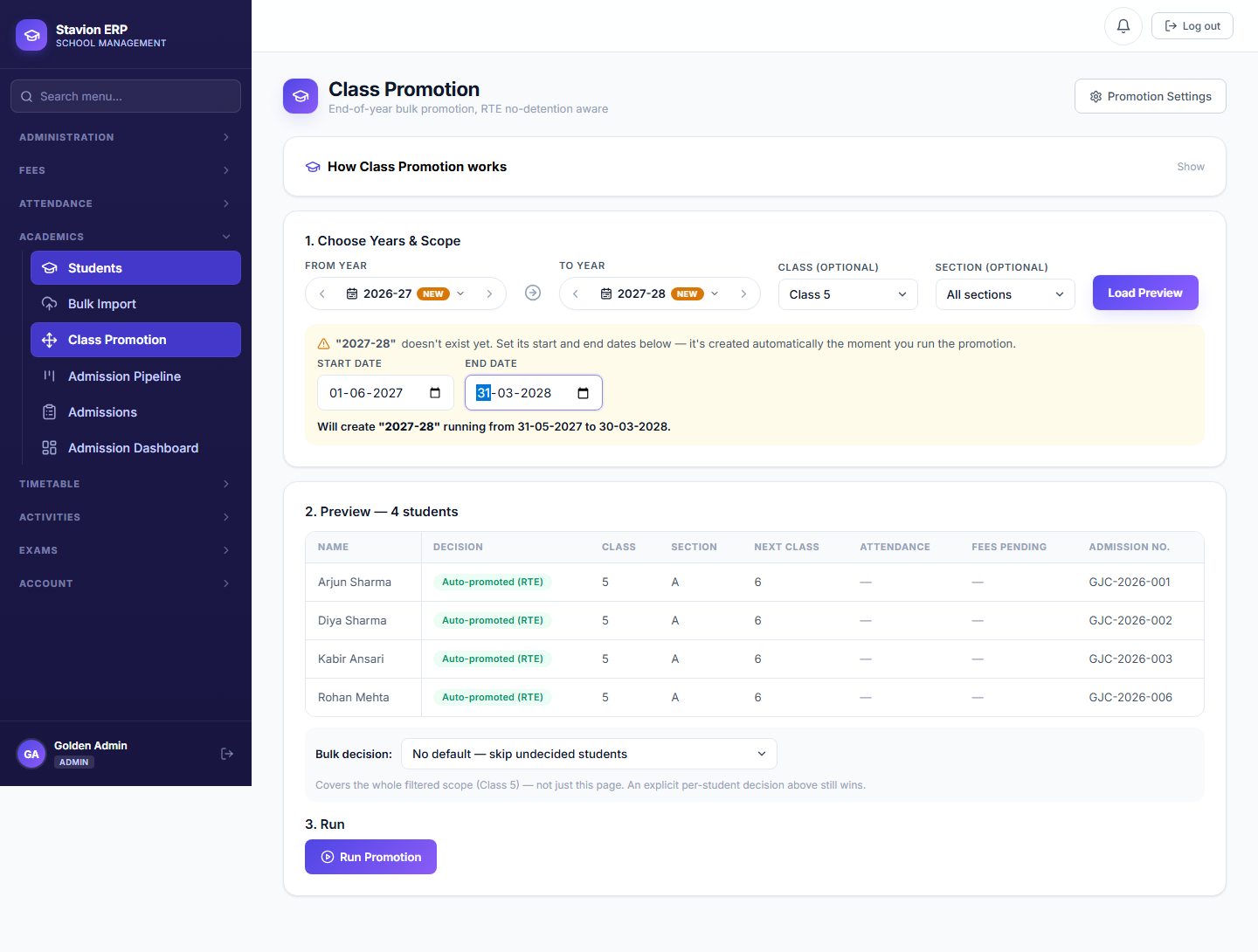
Set new year dates
The next academic year's start/end dates are set as part of the same operation.
Confirm
Every active student's class/section updates in one bulk operation.
New year is current
The newly created academic year becomes "current" for the whole school.
Class Promotion is one operation with four visible stages, not four separate screens.
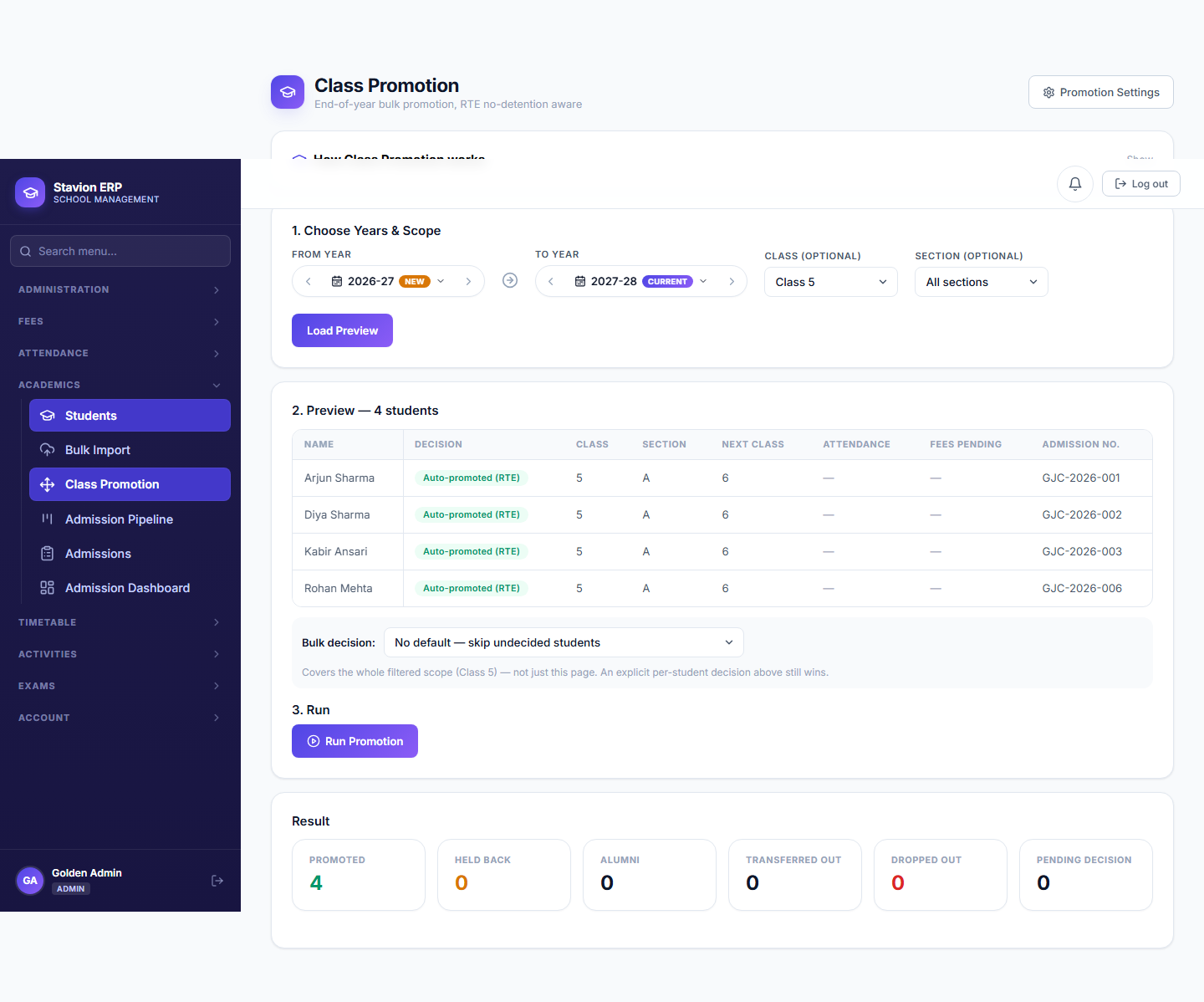
Class Promotion changes every active student’s class/section and switches which academic year is "current" for the whole school — review the preview screen carefully before confirming, since reverting it afterward requires direct data correction, not a button in the UI.